🔐 Next.js Secrets Done Right: The Server ↔ Client Guide
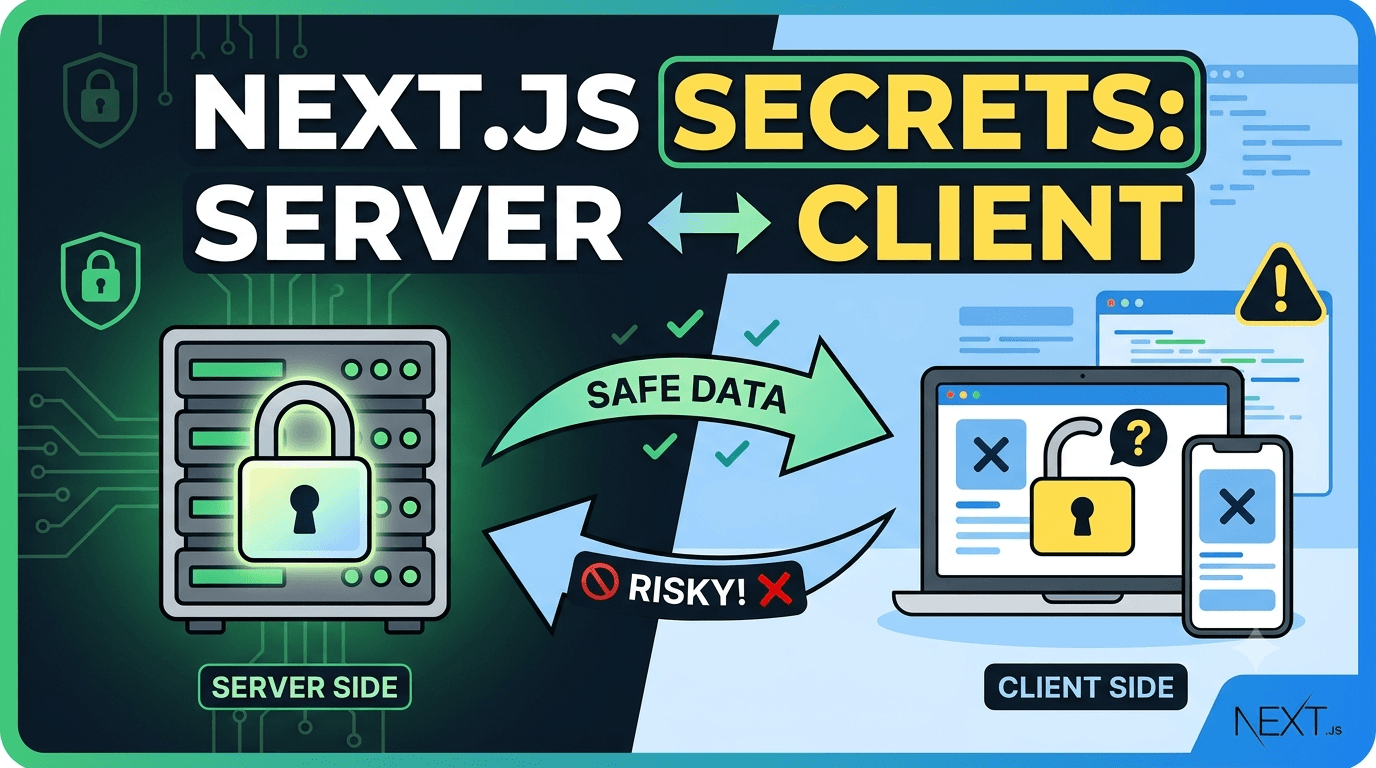
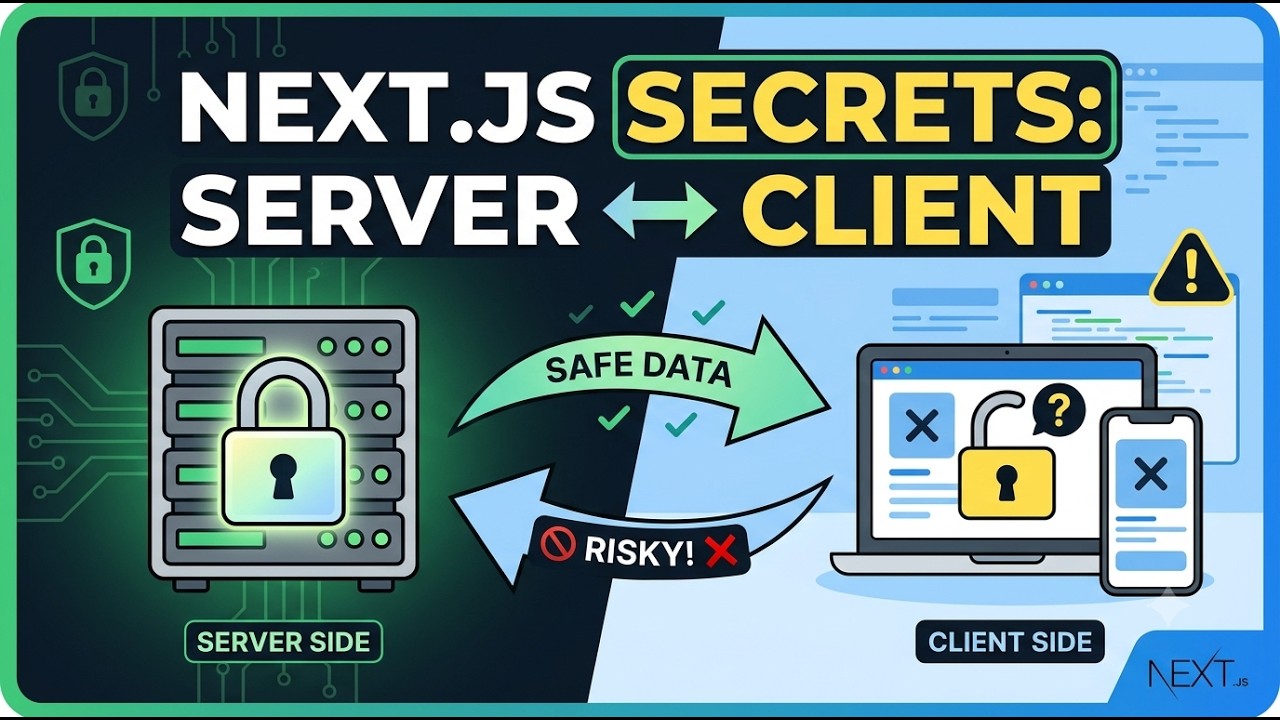
The client pulls the trigger, the server executes, the secret never travels — a hands-on Next.js guide with a live secret-leak demo you'll never forget.
⏱️ 10-minute read · 🎯 Beginner-friendly · 🛠️ Next.js (App Router)
You paste an API key into a client component. You ship it. And now your key lives on the public internet.
This guide makes sure that never happens to you.
🎬 What you'll build: A tiny app with one button. The button (client) calls an API route (server). The server signs a payload with a secret env variable and returns only the signature. Then you'll play attacker, try to steal the secret from the browser — and fail. 😎
Video
Code
📋 View the code snippet on GitHub :
👉 https://github.com/HackMEAny/next-js-client-server-secret
📚 In this guide
- Part 1 — The two worlds of Next.js: server & client
- Part 2 — Why client-side secrets are always visible (plus two mind-bending nuances)
- Part 3 — The hands-on demo, including a Live Demo: Watch a Client-Side Secret Leak 🚨
- Bonus — Myth vs. Fact table & the Golden Rules cheat sheet
🗺️ Table of Contents
- Part 1: The Two Worlds of Next.js
- Part 2: Client-Side Secrets Are Visible — Server-Side Secrets Are Not
- Part 3: The Hands-On Demo
- Golden Rules Cheat Sheet
Part 1: The Two Worlds of Next.js 🌗
Next.js is a full-stack framework. Your code lives in two completely different universes:
🖥️ The Server Side
Runs on your Node.js server (or edge runtime):
- Server Components — the default for
app/page.tsxin the App Router - Route Handlers — API endpoints like
app/api/demo/route.ts - Server Actions — functions marked with
"use server" - Middleware —
middleware.ts
It can safely read process.env, talk to databases, and call private APIs.
🌐 The Client Side
Runs in the user's browser:
- Client Components — files marked with
"use client" - UI logic: clicks, state, effects, animations
🧠 Remember: client code is bundled into JavaScript files and downloaded by every single visitor. Server code never leaves your server.
🤝 How the Two Worlds Talk
The client triggers. The server executes. The server returns only what it chooses:
Browser (CLIENT)                            Server (Next.js)
----------------                            ----------------
Client Components ("use client")            Route Handlers / Server Actions
UI, state, events                           process.env.SERVER_SECRET

        |  fetch("/api/demo", { method: "POST" })  |
        |----------------------------------------->|
        |                                          |  reads secret,
        |                                          |  does the work
        |         { ok: true, proof: "..." }       |
        |<-----------------------------------------|
| 🖥️ Server Side | 🌐 Client Side | |
|---|---|---|
| Where it runs | Node.js server / edge | User's browser |
| Marked with | Default / "use server" |
"use client" |
| Examples | Route Handlers, Server Actions | Buttons, forms, state |
| Can read secret env vars? | ✅ Yes | ❌ No |
| Code visible to the user? | ❌ No | ✅ Yes (bundled JS) |
Part 2: Client-Side Secrets Are Visible — Server-Side Secrets Are Not 👀
Tattoo this on your brain:
☢️ If the browser downloads it, it's public.
🔍 Everything in the browser is inspectable
- View Source on the HTML
- DevTools → Sources (search every downloaded JS file)
- DevTools → Network (inspect every response)
- React DevTools (inspect component props)
☢️ What happens when a secret goes to the client
Prefix a variable with NEXT_PUBLIC_:
NEXT_PUBLIC_BAD_SECRET="this-secret-is-exposed"
Reference it in a Client Component:
"use client";

console.log(process.env.NEXT_PUBLIC_BAD_SECRET); // visible in the browser console!
Next.js inlines the value into the JavaScript bundle at build time. Anyone can find it:
grep -R "this-secret-is-exposed" .next/static # found! shipped to every visitor 💀
🤯 Nuance #1: NEXT_PUBLIC_ ≠ "automatically shipped"
Here's the twist most devs miss: the prefix makes a variable eligible for inlining — it doesn't dump it automatically.
At build time, Next.js replaces every occurrence of process.env.NEXT_PUBLIC_X in your source with the literal value. So:
- Client code references it → literal baked into the bundle →
grepfinds it. - No reference in client code → nothing to replace → it never enters
.next/static.
Prove it:
# 1. Defined in .env.local, never referenced in client code
npm run build
grep -R "this-secret-is-exposed" .next/static || echo "✅ not in client bundle"

# 2. Now add console.log(process.env.NEXT_PUBLIC_BAD_SECRET) to a client component
npm run build
grep -R "this-secret-is-exposed" .next/static   # found!
Same variable. Same .env.local. The only difference? One reference.
💡 Bonus nuance: if only server code references a
NEXT_PUBLIC_variable, the value lands in the server build (.next/server) — not the client bundle. The browser still never sees it.
🕵️ Nuance #2: The Chrome debugger question
"What if I reference it but never use the variable? Can Chrome DevTools still find it?"
const x = process.env.NEXT_PUBLIC_BAD_SECRET; // x is never used
Golden principle:
The Chrome debugger can only reveal what was actually shipped. It's not magic. 🪄
🟢 Dev mode → YES. Dev builds aren't minified. The line compiles to const x = "this-secret-is-exposed"; and sticks around. In DevTools:
- Ctrl+Shift+F (Sources, global search) → found
- Breakpoint + hover
x→ visible in the scope panel
🔴 Production → usually NO. The minifier sees a pure dead assignment and deletes it. The string never reaches the browser — search, Network tab, breakpoints: all empty.
Mini-demo:
- Add the unused
const x = ...line. npm run dev→ Sources → Ctrl+Shift+F → ✅ found.npm run build && npm start→ same search → ❌ gone.- Change to
console.log(x)→ rebuild → ✅ found again.
⚠️ Warning: dead-code removal is a minifier courtesy, not a security feature. If
xis exported, rendered, logged, or captured in a closure — it ships. And dev/preview builds leak it regardless. Never rely on the minifier to clean up your mistakes.
🚰 Other leak paths you didn't know about
Even a non-public secret leaks if it crosses the server → client boundary:
- Returning it from an API route → visible in the Network tab.
- Passing it as a prop to a Client Component → serialized into the HTML payload.
- Rendering it in JSX → visible in View Source.
🛡️ Why server-side secrets stay hidden
On the server, the value lives only in server memory:
// app/api/demo/route.ts — runs ONLY on the server
const secret = process.env.SERVER_SECRET;
The browser never downloads this file, never executes this code, never sees this value.
🔑 The whole pattern in one line: The client triggers. The server executes. The secret never travels.
Part 3: The Hands-On Demo 🛠️
Enough theory. Let's prove everything.
Step 1 — 🏗️ Create the project
npx create-next-app@latest next-env-demo --ts --app
cd next-env-demo
npm run dev
Open http://localhost:3000 to confirm it works.
Step 2 — 🗝️ Add a secure environment variable
Create .env.local in the project root:
# .env.local

# Server-only secret. Do NOT prefix with NEXT_PUBLIC_
SERVER_SECRET="my-super-secret-123"
⚠️ No
NEXT_PUBLIC_prefix = never shipped to the browser. And keep.env.localin.gitignore!
Restart npm run dev after editing .env.local.
Step 3 — 🧠 Create the server route (the vault)
Create app/api/demo/route.ts:
// app/api/demo/route.ts

import { NextResponse } from "next/server";
import { createHmac } from "node:crypto";

export const runtime = "nodejs";
export const dynamic = "force-dynamic";

export async function POST() {
  // 1. Read the secret — ONLY possible on the server
  const secret = process.env.SERVER_SECRET;

  if (!secret) {
    return NextResponse.json(
      { ok: false, message: "SERVER_SECRET is not available on the server." },
      { status: 500 }
    );
  }

  // Safe log: prints true/false, never the secret itself
  console.log("[SERVER] SERVER_SECRET is available:", Boolean(secret));

  // 2. Use the secret for a privileged operation (HMAC signature)
  const proof = createHmac("sha256", secret)
    .update("demo-payload")
    .digest("hex")
    .slice(0, 12);

  // 3. Return ONLY safe data — the secret never leaves the server
  return NextResponse.json({
    ok: true,
    message: "This response was generated securely on the server.",
    proof,
  });
}
Step 4 — 🖱️ Create the client button (the trigger)
Create app/demo-button.tsx:
// app/demo-button.tsx

"use client";

import { useState } from "react";

type DemoResponse = {
  ok: boolean;
  message?: string;
  proof?: string;
};

export default function DemoButton() {
  const [loading, setLoading] = useState(false);
  const [result, setResult] = useState<DemoResponse | null>(null);
  const [error, setError] = useState<string | null>(null);

  async function handleClick() {
    setLoading(true);
    setError(null);
    setResult(null);

    try {
      // The client calls the SERVER — it never touches the secret
      const response = await fetch("/api/demo", { method: "POST" });
      const data: DemoResponse = await response.json();

      if (!response.ok) throw new Error(data.message ?? "Request failed.");
      setResult(data);
    } catch (err) {
      setError(
        err instanceof Error ? err.message : "The server request failed."
      );
    } finally {
      setLoading(false);
    }
  }

  return (
    <section
      style={{
        maxWidth: 700,
        margin: "2rem auto",
        fontFamily: "system-ui, sans-serif",
        lineHeight: 1.5,
      }}
    >
      <h1>🔒 Secure Env Variable Demo</h1>
      <p>
        This button runs in your browser. It calls a Next.js server route, which
        reads a secure environment variable and returns a safe result.
      </p>

      <button
        onClick={handleClick}
        disabled={loading}
        style={{
          padding: "0.75rem 1.5rem",
          fontSize: "1rem",
          borderRadius: 8,
          border: "none",
          backgroundColor: "#0070f3",
          color: "white",
          cursor: loading ? "not-allowed" : "pointer",
          opacity: loading ? 0.7 : 1,
        }}
      >
        {loading ? "Calling server..." : "Call Secure Server Route"}
      </button>

      {error && (
        <pre
          style={{
            color: "#e00",
            background: "#fee",
            padding: "1rem",
            borderRadius: 8,
            marginTop: "1rem",
          }}
        >
          Error: {error}
        </pre>
      )}

      {result && (
        <pre
          style={{
            background: "#f6f8fa",
            padding: "1rem",
            borderRadius: 8,
            marginTop: "1rem",
            border: "1px solid #e1e4e8",
            overflowX: "auto",
          }}
        >
          {JSON.stringify(result, null, 2)}
        </pre>
      )}
    </section>
  );
}
Render it in app/page.tsx:
// app/page.tsx

import DemoButton from "./demo-button";

export default function Home() {
  return (
    <main>
      <DemoButton />
    </main>
  );
}
Step 5 — ✅ Run it & collect the proofs
With npm run dev running, open http://localhost:3000 with DevTools open and click the button.
🥇 Proof 1 — The response contains no secret:
{
  "ok": true,
  "message": "This response was generated securely on the server.",
  "proof": "a1b2c3d4e5f6"
}
my-super-secret-123 appears nowhere.
🥈 Proof 2 — The Network tab is clean: inspect /api/demo; only safe fields travel.
🥉 Proof 3 — The server terminal shows the secret was used:
[SERVER] SERVER_SECRET is available: true
🏅 Proof 4 — The secret is not in the client bundle:
npm run build
grep -R "my-super-secret-123" .next/static || echo "✅ Secret not found in client bundle."
💡 Windows? Use PowerShell:
Select-String -Path ".next/static/*" -Pattern "my-super-secret-123" -Recurse
Step 6 — 🔌 Pull the plug (missing-secret test)
Comment out the secret, restart, click again:
# SERVER_SECRET="my-super-secret-123"
Result:
{ "ok": false, "message": "SERVER_SECRET is not available on the server." }
The client has no fallback and no knowledge of the secret. It's fully dependent on the server. (Uncomment & restart when done!)
Step 7 — 🚨 Live Demo: Watch a Client-Side Secret Leak
Now let's break things on purpose — it's the best way to learn.
7a. ☣️ Add a bad public secret to .env.local:
NEXT_PUBLIC_BAD_SECRET="this-secret-is-exposed"
Restart the dev server and add one line to app/demo-button.tsx:
console.log("Client sees:", process.env.NEXT_PUBLIC_BAD_SECRET);
Open the browser console — there it is, printed in the browser. 💀
7b. 🔬 Prove it's baked into the production bundle:
npm run build
grep -R "this-secret-is-exposed" .next/static   # found!
Compare with the good secret:
grep -R "my-super-secret-123" .next/static || echo "✅ Server secret not in client bundle"
7c. 🤫 Prove inlining happens only at reference sites. Comment out the console.log, rebuild, grep again:
npm run build
grep -R "this-secret-is-exposed" .next/static || echo "✅ not in client bundle"
Not found! Still defined in .env.local — but with no client reference, there's nothing to inline.
7d. 🕵️ The unused-variable / Chrome debugger test. Replace it with:
const x = process.env.NEXT_PUBLIC_BAD_SECRET; // x is never used
npm run dev→ Sources → Ctrl+Shift+F → ✅ found (dev isn't minified)npm run build && npm start→ same search → ❌ usually gone (minifier deletes dead code)console.log(x)→ rebuild → ✅ found again
🧹 Cleanup: delete
NEXT_PUBLIC_BAD_SECRET, theconsole.log, and the unusedx. Restart your dev server.
🎭 Myth vs. Fact
| 😵 Myth | 😎 Fact |
|---|---|
"NEXT_PUBLIC_ variables are automatically shipped to the browser." |
Only if client code references them. The prefix means inlinable, not auto-shipped. |
"If I don't console.log it, I'm safe." |
Any surviving reference ships it: headers, props, JSX, analytics… |
| "The minifier removes unused code, so it's fine." | Dead-code removal is a courtesy, not a security feature. Dev/preview builds leak anyway. |
| "Server Components can pass secrets as props safely." | Props to Client Components are serialized into the HTML payload. |
| "Chrome DevTools can always find secrets." | DevTools can only see what was shipped. No ship, no see. |
📜 Golden Rules Cheat Sheet
| # | Rule | Why |
|---|---|---|
| 1 | Never use NEXT_PUBLIC_ for secrets |
One accidental client reference makes it public forever. |
| 2 | Never return secrets from API routes | The Network tab exposes everything you send. |
| 3 | Never pass secrets as props to Client Components | Props are serialized into the HTML payload. |
| 4 | Use Route Handlers / Server Actions as the bridge | They run on the server, where secrets live safely. |
| 5 | Don't trust the minifier or dev builds | They're build tools, not bodyguards. |
| 6 | Verify bundles before deploying | grep your .next/static folder for secret values. |
🏁 Final Takeaway
The client triggers. The server executes. The secret never travels.
Keep secrets on the server, let the client trigger server-side work, and return only safe results. Then there's simply nothing for the Chrome debugger — or any attacker — to find.
Happy (secure) coding! 🔐✨